

Description
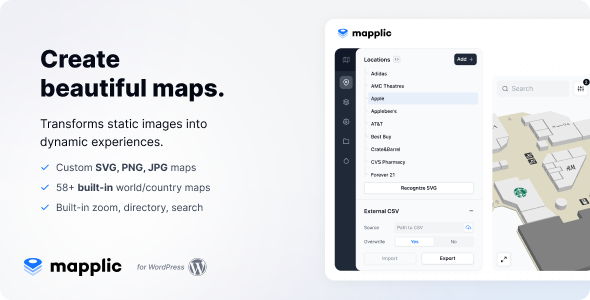
You can download Mapplic – Custom Interactive Map WordPress Plugin for free from DigixBolt. Mapplic lets you build beautiful, clickable, zoomable interactive maps for countries, cities, floors, malls, campuses, exhibitions, and basically any space you want to visualize.
It turns static images into smart, interactive experiences with markers, tooltips, popups, directions, and floor switching — perfect for businesses, real estate, directories, museums, travel sites, and any project that needs visual navigation.
At DigixBolt, we provide premium visualization tools completely free — helping creators build impressive, modern interactive maps without pricey licenses.
How to Get Mapplic for Free?
DigixBolt offers the fully unlocked GPL version so you can create unlimited interactive maps with all advanced features available.
Perfect for:
• Real estate maps
• University & school campuses
• Shopping malls & retail floors
• Tourism & travel guides
• Event venues & festival maps
• Business locations & directories
• Hospitals & multi-level facilities
• Data visualization projects
Core Features of Mapplic:
• Fully interactive, zoomable vector maps
• Create custom maps from any image or SVG
• 15+ pre-made world, continent & country maps
• Floor selector for multi-level buildings
• Custom hotspots, markers, icons & labels
• Tooltips, popups & rich content support
• Deep linking (every location gets its own URL)
• Responsive & mobile-optimized design
• Searchable locations panel
• Smooth animations & transitions
• Works with Gutenberg, Elementor, Divi & any theme
• No coding required — super user-friendly
Steps to Download & Install Mapplic for Free:
-
Download the Mapplic ZIP from DigixBolt.
-
Go to WordPress → Plugins → Add New.
-
Upload and activate the plugin.
-
Open Mapplic → Add New Map.
-
Choose a template or upload your own custom map.
-
Add locations, tooltips, floors & styles.
Your interactive map will be live, clickable, and insanely professional-looking.
Why Download Visual Tools from DigixBolt?
Free Premium Plugins:
Mapplic comes fully unlocked under GPL — no restrictions, full features.
Regular Updates:
DigixBolt provides updated versions compatible with all major WordPress themes & builders.
Instant Support:
We help with map creation, markers, floor setup & embedding.
Preview – Mapplic – Custom Interactive Map WordPress Plugin Preview – CodeCanyon
Reviews
There are no reviews yet.