
Description
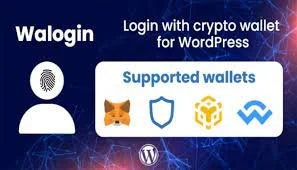
You can download Walogin – Login with Crypto Wallet for WordPress for free from DigixBolt. Walogin allows users to log into your WordPress website using their crypto wallets — including MetaMask, WalletConnect, Trust Wallet, Coinbase Wallet, and more.
This plugin brings Web3 authentication to WordPress, giving your users a secure, password-less login system based on blockchain signatures. Perfect for modern dApps, NFT projects, token-gated websites, or any site entering the Web3 space.
At DigixBolt, we offer premium blockchain tools completely free — empowering creators to build futuristic, wallet-secured WordPress experiences without spending thousands.
How to Get Walogin for Free?
DigixBolt provides the fully unlocked GPL version including all login methods, wallet integrations, token-gated options, and user mapping features.
Perfect for:
• NFT websites
• Web3 communities
• Crypto SaaS dashboards
• Blockchain startups
• Token-gated membership sites
• DeFi platforms
• Metaverse portals
• DAO portals
Core Features of Walogin – Login with Crypto Wallet:
• Login/signup using MetaMask, WalletConnect, Trust Wallet, Coinbase Wallet, etc.
• Password-less authentication
• Web3 signature verification
• Auto-create WordPress user accounts on wallet login
• Token-gated access support
• Restrict pages based on wallet ownership
• Works with ERC-20, ERC-721, ERC-1155 tokens
• WooCommerce compatibility
• Wallet profile mapping inside WordPress
• Optional 2-step wallet+email link
• Lightweight, fast & fully secure
• Clean UI for login popups & modals
Steps to Download & Install Walogin for Free:
-
Download the Walogin plugin from DigixBolt.
-
Go to WordPress → Plugins → Add New.
-
Upload and activate the plugin.
-
Open Walogin → Settings.
-
Choose supported wallets & configure login flows.
-
Add Web3 login button anywhere using shortcode or widget.
Your site now supports secure crypto wallet authentication — no passwords, no friction.
Why Download Web3 Tools from DigixBolt?
Free Premium Features:
Walogin comes fully unlocked under GPL, including token-gating modules.
Regular Updates:
DigixBolt provides updated versions compatible with new wallet integrations and WordPress updates.
Instant Support:
We help with wallet setup, token-restricted pages & Web3 login workflows.
Reviews
There are no reviews yet.