
Description
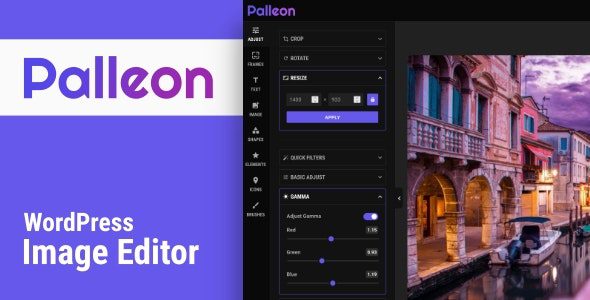
You can download Palleon – WordPress Image Editor for free from DigixBolt. Palleon is a powerful, fully integrated Photoshop-style image editor inside WordPress, allowing you to create, edit, retouch, resize, crop, add text, apply filters, create social media posts, and design graphics — all from your WP dashboard.
It’s the perfect tool for bloggers, ecommerce stores, designers, marketers, and creators who want fast, browser-based image editing without switching to external apps.
At DigixBolt, we bring premium design tools completely free — helping creators edit images professionally without needing Photoshop or paid SaaS tools.
How to Get Palleon for Free?
DigixBolt provides the fully unlocked GPL version so you can use all editing tools, templates, filters, layers, effects, frames, and premium elements with no limits.
Perfect for:
• Bloggers & publishers
• WooCommerce stores (product editing!)
• Social media creators
• Graphic designers
• Marketing teams
• Print-on-demand sellers
• Agencies & freelancers
Core Features of Palleon – WordPress Image Editor:
• Full canvas-based image editor
• Layers panel (like Photoshop)
• Add text, shapes, stickers & SVG elements
• Background remover (AI-powered if available)
• Filters: brightness, contrast, saturation, blur, etc.
• Resize, crop, rotate & transform images
• Drawing tools: brush, color picker, eraser
• Photo frames & overlays
• Templates for banners, thumbnails, social posts
• Upload custom fonts
• WooCommerce product image editing
• Save edits to media library or download instantly
• Fast, lightweight & mobile-ready
• Modern UI that feels like Figma/Canva/PS
Steps to Download & Install Palleon for Free:
-
Download the Palleon ZIP file from DigixBolt.
-
Go to WordPress → Plugins → Add New.
-
Upload and activate it.
-
Open Palleon → Image Editor in your WP dashboard.
-
Start editing images, adding text, filters & layers.
Your WordPress site becomes a powerful graphic studio instantly.
Why Download Design Tools from DigixBolt?
Free Premium Tools:
Palleon comes fully unlocked under GPL with all editing features included.
Regular Updates:
DigixBolt provides updated versions compatible with the latest WordPress & PHP.
Instant Support:
We help with image editing, template setup & WooCommerce integrations.
Reviews
There are no reviews yet.